Every tool an operator needs, in one tab.
XHub replaces the softphone, the notetaker, the training tool and the knowledge base with a single workspace built for tutoring operations.
Seven modules. One screen.
Every workflow your enrolment team runs, built into one workspace and tuned for tutoring.
Telephony, in the browser
Real business number, softphone, voicemail, transfers. No desk hardware, no app installs.
Live AI coaching
Real-time prompts trained on your scripts. Objections, policies, next-best questions.
Auto call notes
Clean summaries, action items and tags written in your house style — seconds after hangup.
Training simulator
New starters practise on a realistic AI parent before they touch a real lead.
Knowledge base
One source of truth for scripts, pricing and programmes — searchable from inside a call.
Outcome enforcement
Every call tagged before the agent moves on. Honest reporting, finally.
Missed-call auto-SMS
Every missed call instantly follows up with a branded SMS — no lead goes cold while you're between calls. Included on Professional and Scale.
A real business number, in your browser.
Stop giving parents your personal mobile. Every agent dials, takes calls, leaves outcomes and notes from a single tab — with live transcription and AI assist running alongside the call.
- Per-agent login & routing
- Live transcript + AI assist
- One-click call outcomes
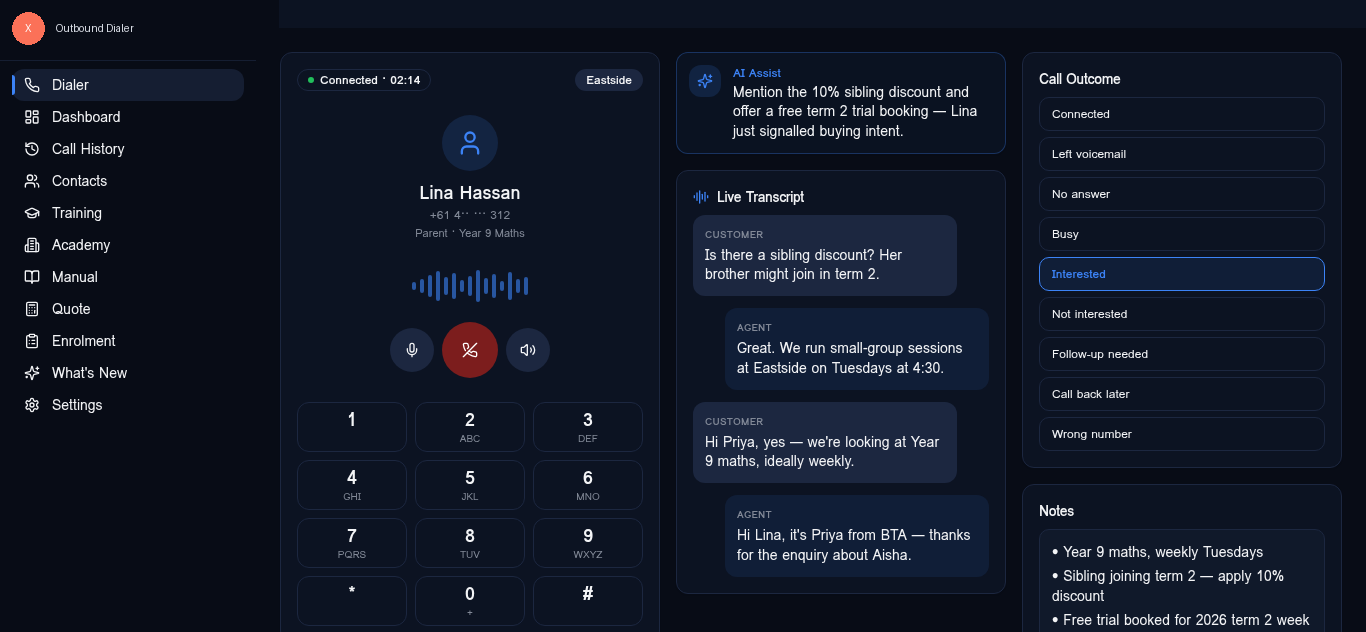
The line you wish you'd said, surfaced in time to say it.
Live AI assist listens to the call and pulls from your scripts, pricing and policy in real time. Trained on your centre's playbook — not a generic SaaS sales script.
- Objection prompts
- Policy & pricing lookups
- Trained on your scripts
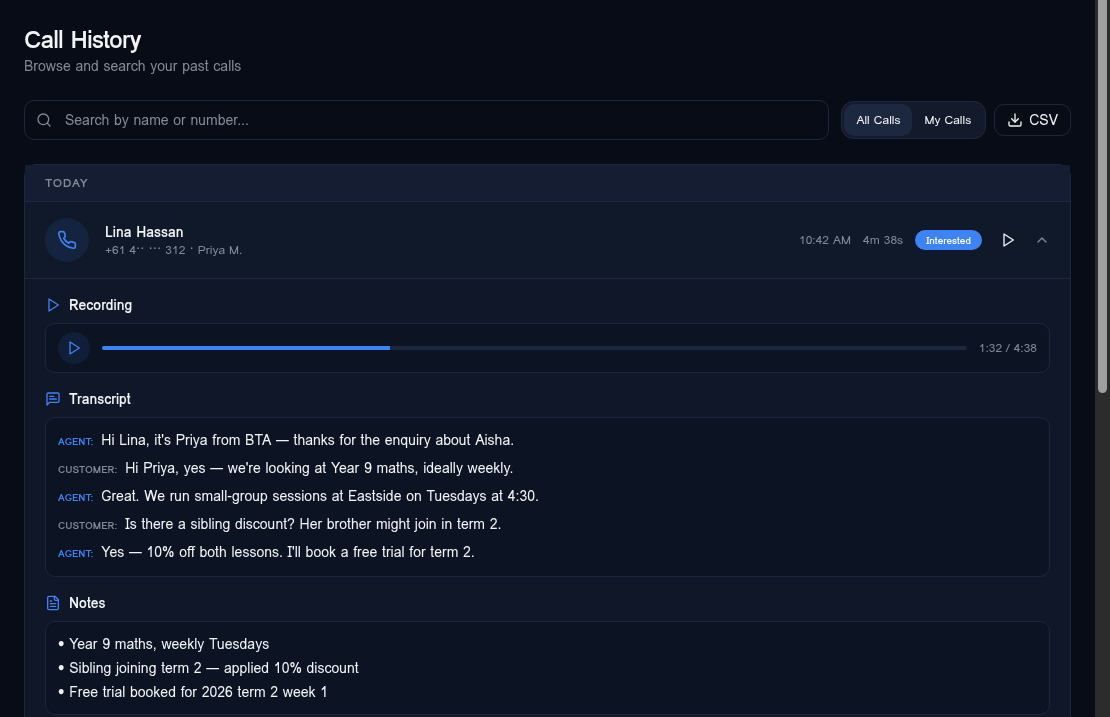
Notes written before the agent puts the headset down.
Two seconds after hangup: structured summary, transcript, key intent, next step and follow-up date — all attached to the contact, all editable, all CRM-ready.
- Recording + searchable transcript
- Editable summary fields
- Tied to the contact record
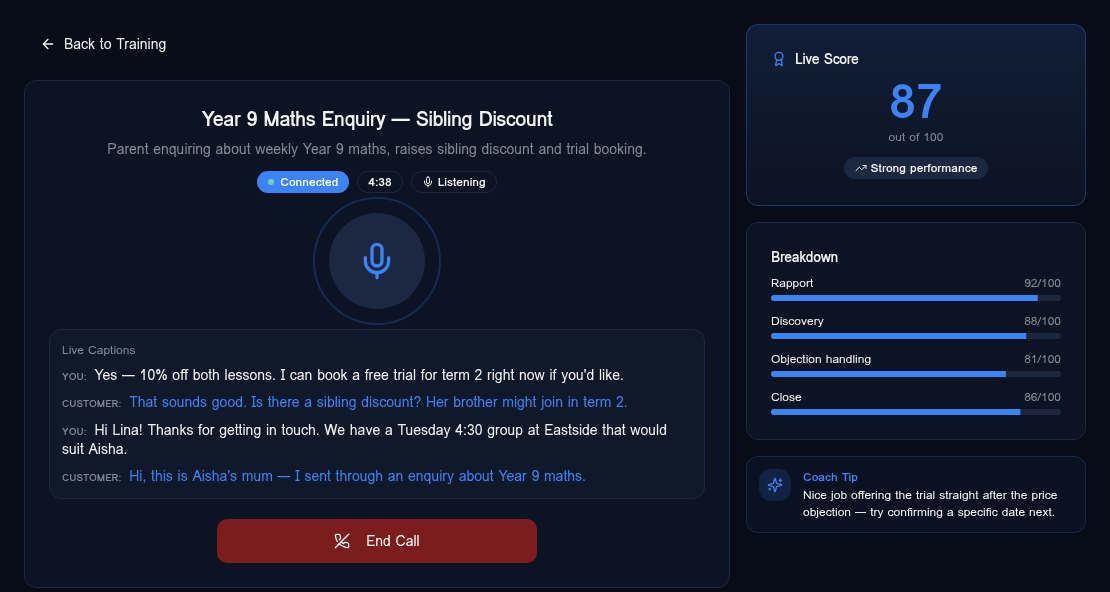
New starters useful in week one, not week six.
Realistic AI parents practise discovery, objections and outcome capture. Live captions, live scoring, and a coach tip after every turn — scored against your rubric.
- Custom scenarios
- Auto-scored rubric
- Coach tips in real time
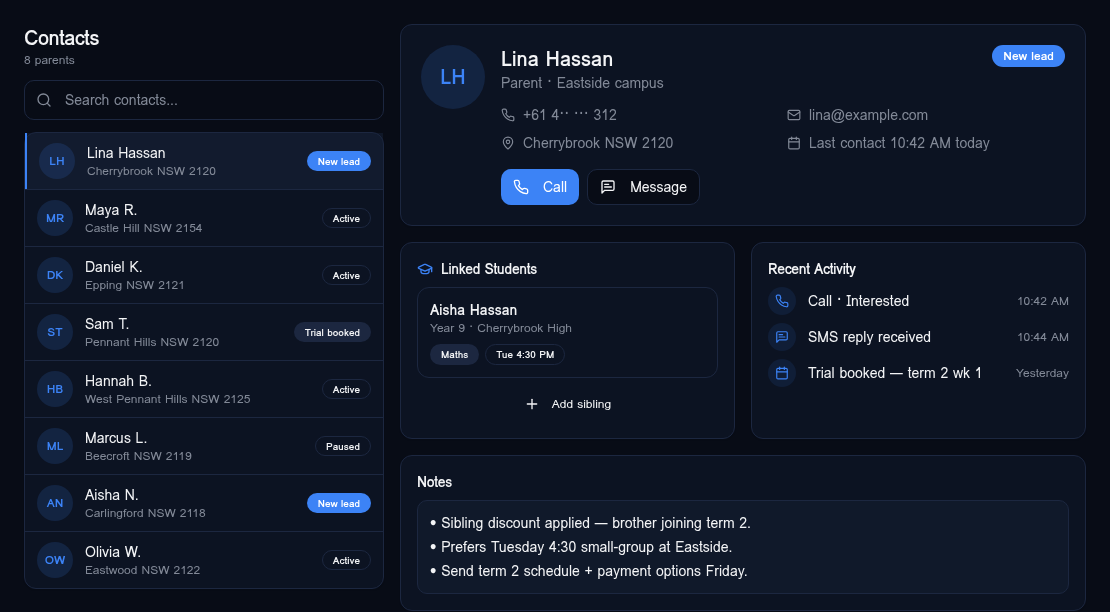
Every parent, every conversation — one record.
Each parent contact carries the full call and SMS history, recent activity, notes and outcomes — so the next agent picks up exactly where the last one left off, without re-asking the same questions.
- Per-contact call & SMS history
- Inline notes tied to the parent record
- Status & last-contact at a glance
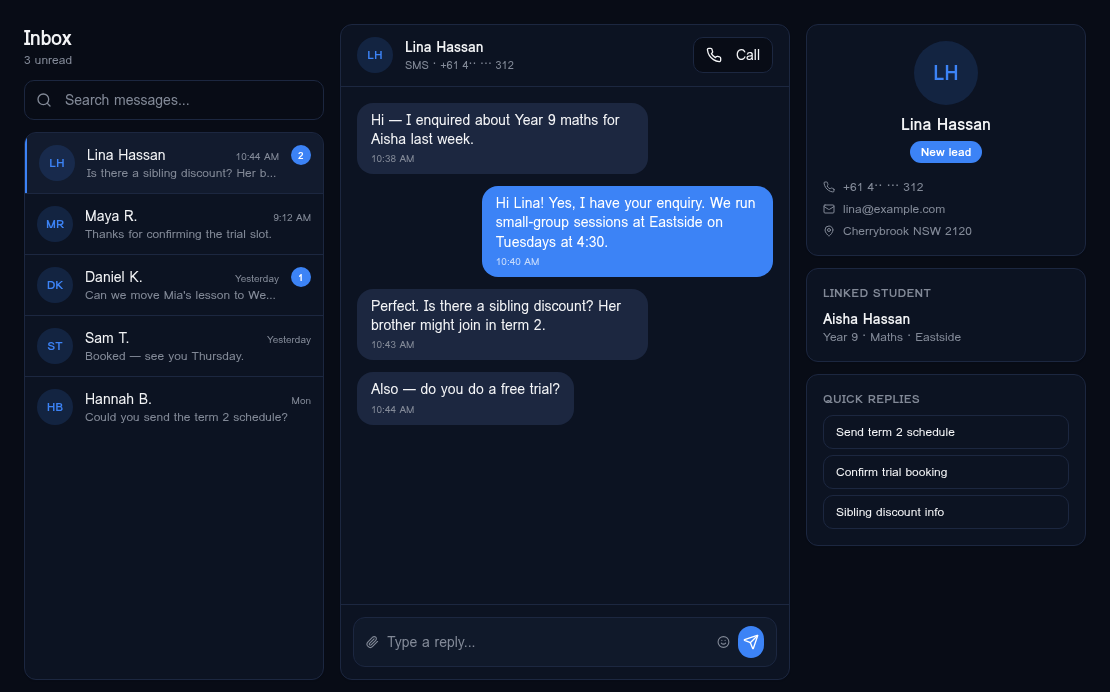
Follow up by SMS without leaving the call workspace.
Inbound SMS from parents lands in the same inbox the agent is already working in. Quick replies for common asks — trial confirmations, term schedules, sibling discount info — keep response times under a minute.
- Threaded SMS conversations
- Quick reply templates
- Linked to the parent record
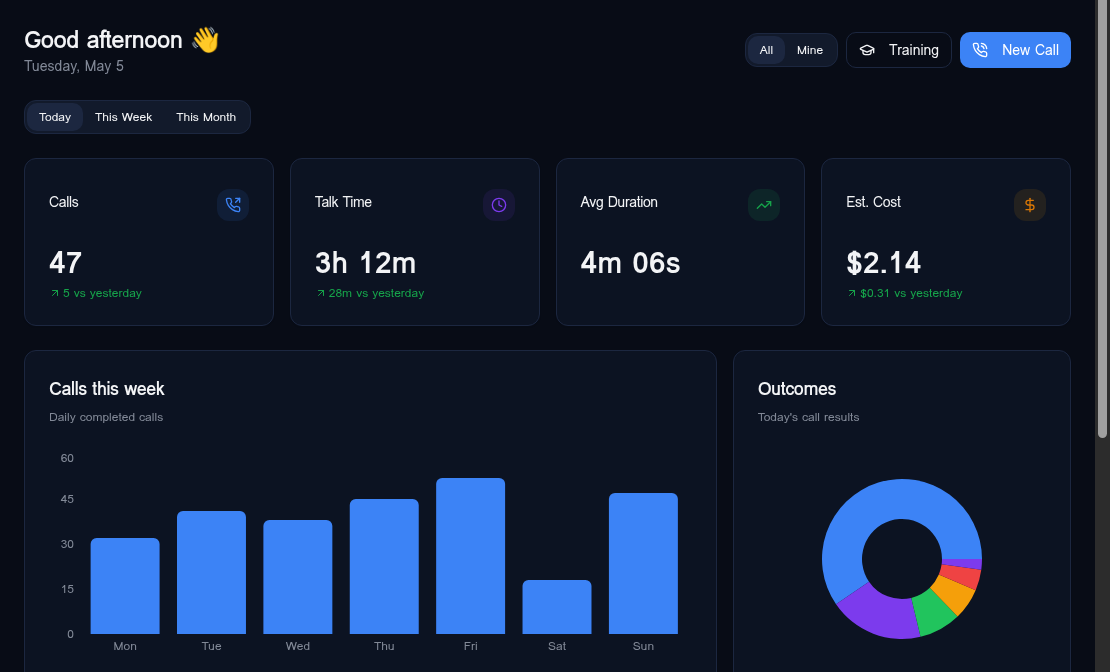
What's working, who's working, what to fix.
Live KPIs at the top — calls, talk time, average duration, estimated cost. Daily call volume, outcome mix and a team leaderboard underneath. No spreadsheet exports, no Monday-morning ritual.
- Per-agent & per-campus views
- Outcome breakdown
- Talk-time and cost tracking
From signup to first live call in a week.
Connect your number
We provision a real business number, port your existing one if you have it, and set the routing rules in one onboarding call.
Train the assistant
Upload your scripts, programmes and pricing. The assistant indexes them and learns how your centre actually talks.
Run from one screen
Your team takes calls in the browser. Live coaching, auto notes, outcome tagging — all in the same workspace.
Run your centre from one screen.
Book a 20-minute walkthrough. We'll show you the workspace on real call scenarios and send you a written setup plan for your centre.